Run your HOA without running yourself ragged.
Work orders, online dues, the member directory, email to the whole neighborhood, and an AI office manager that files whatever you forward it. Built for small communities, priced like it.
No card to start. The demo is a real community with real records, open to look through with no sign-up. See pricing
In private beta with our first community in Milton, Georgia.

How a roof leak becomes a closed work order
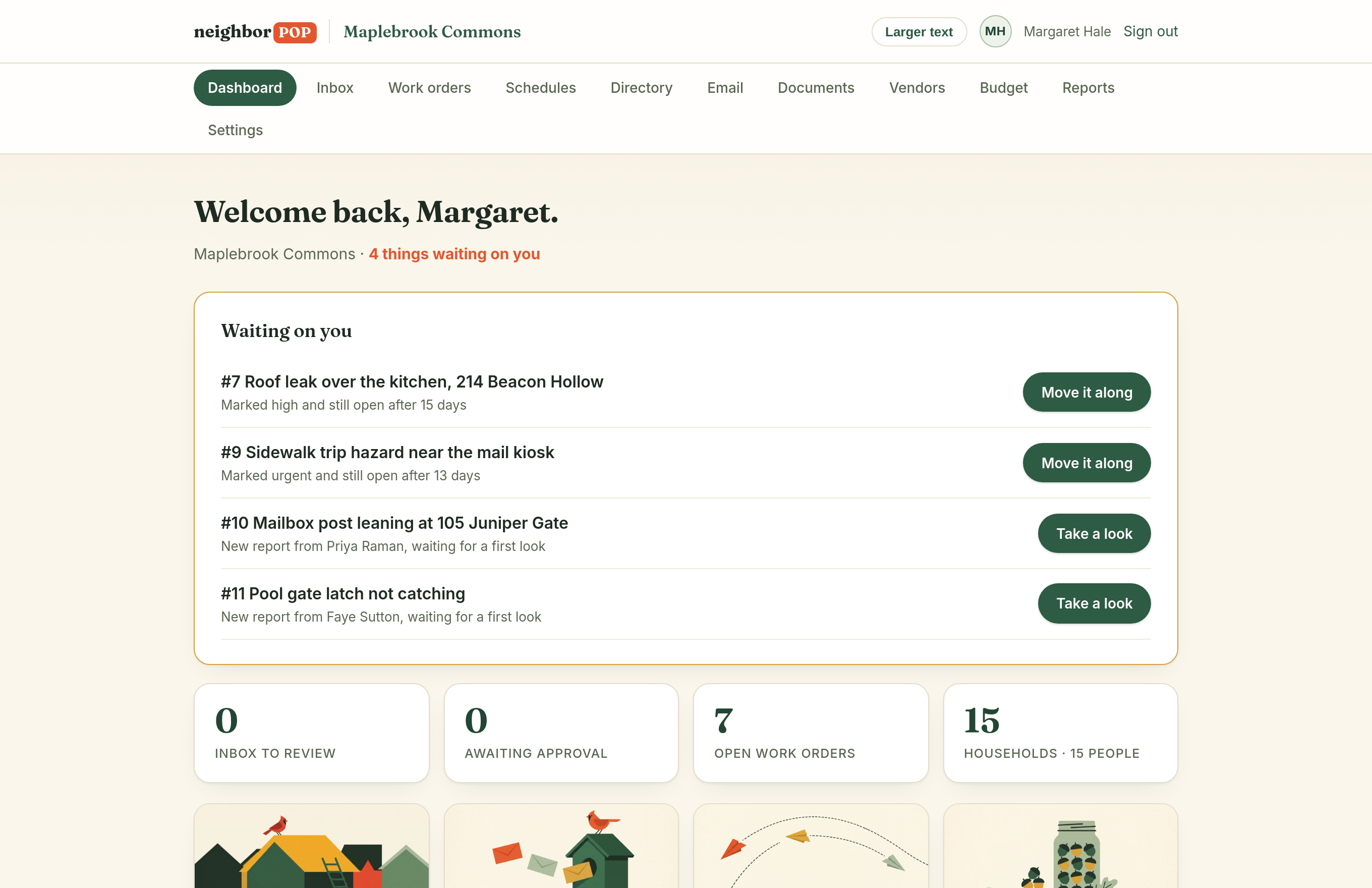
Anyone reports, any way they like
A resident uses the one-minute form. The management company emails. Grandma forwards a photo. All of it lands in the same place.
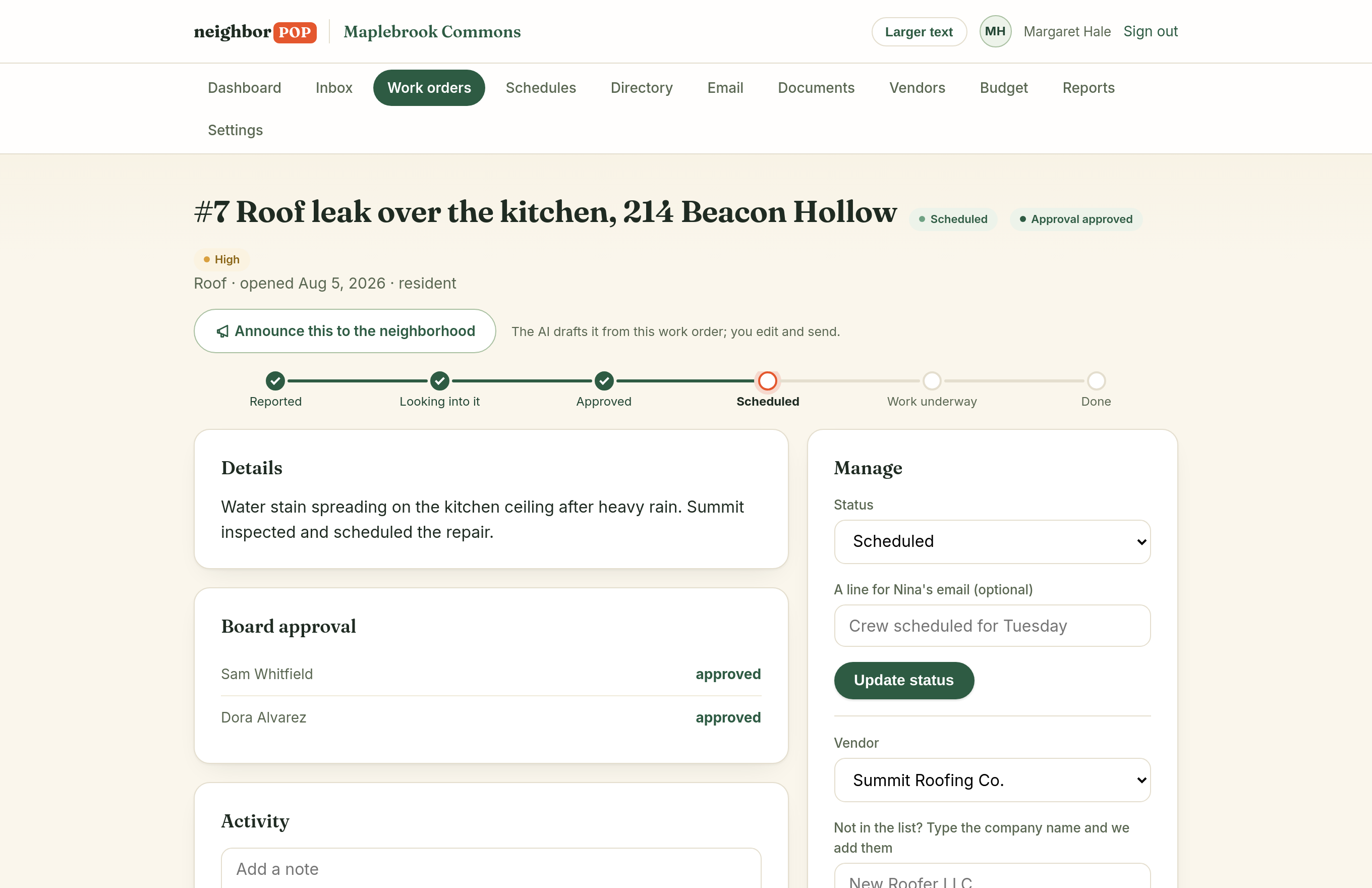
The board decides in one click
Over your dollar threshold? Approval requests go out by email automatically. Board members approve from their inbox, votes are counted, nothing stalls.
The vendor gets one link
No logins, no apps. Your roofer opens the job, adds photos, marks it complete. The homeowner gets updates the whole way without anyone typing an email.
See it for yourself
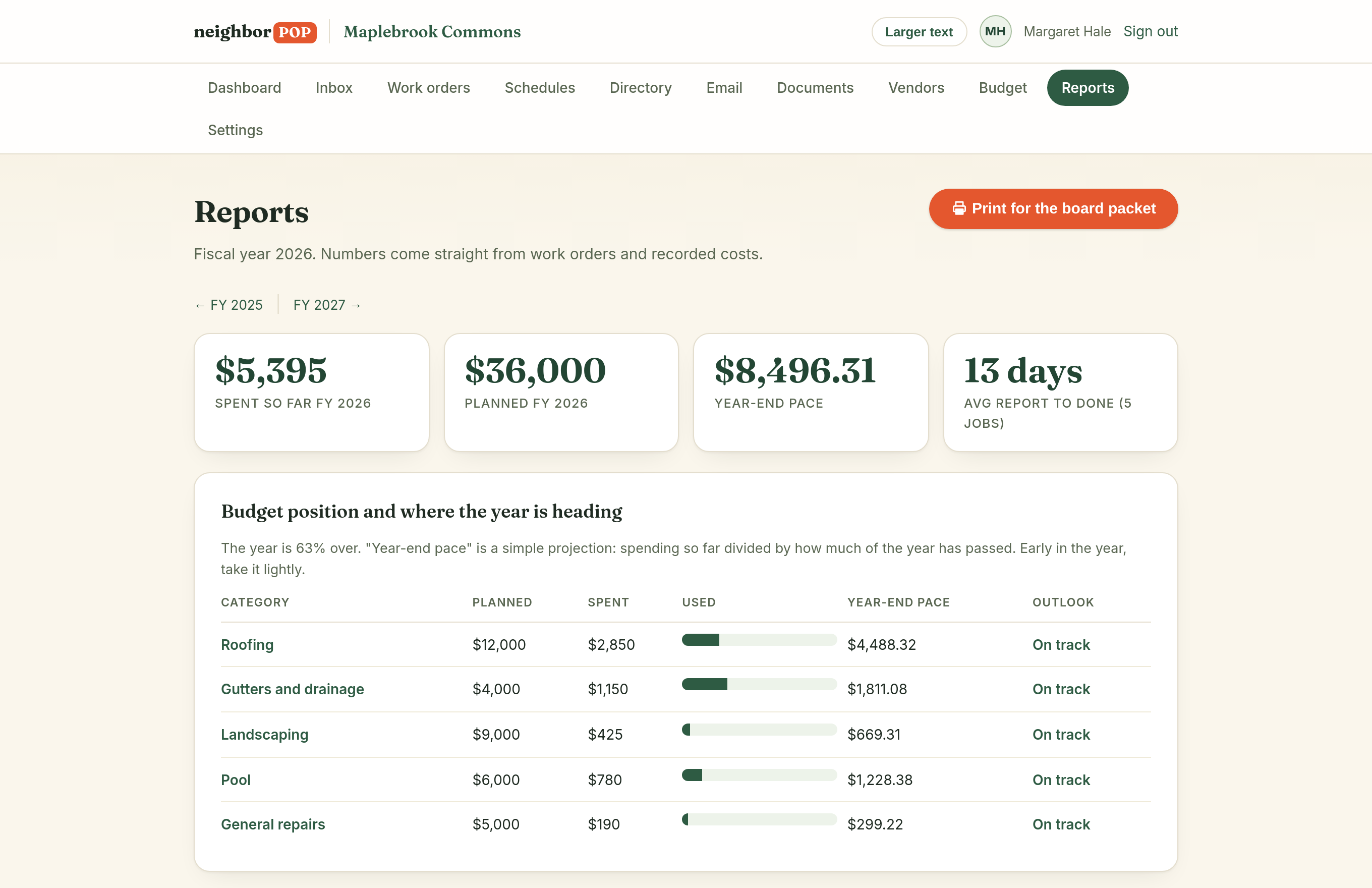
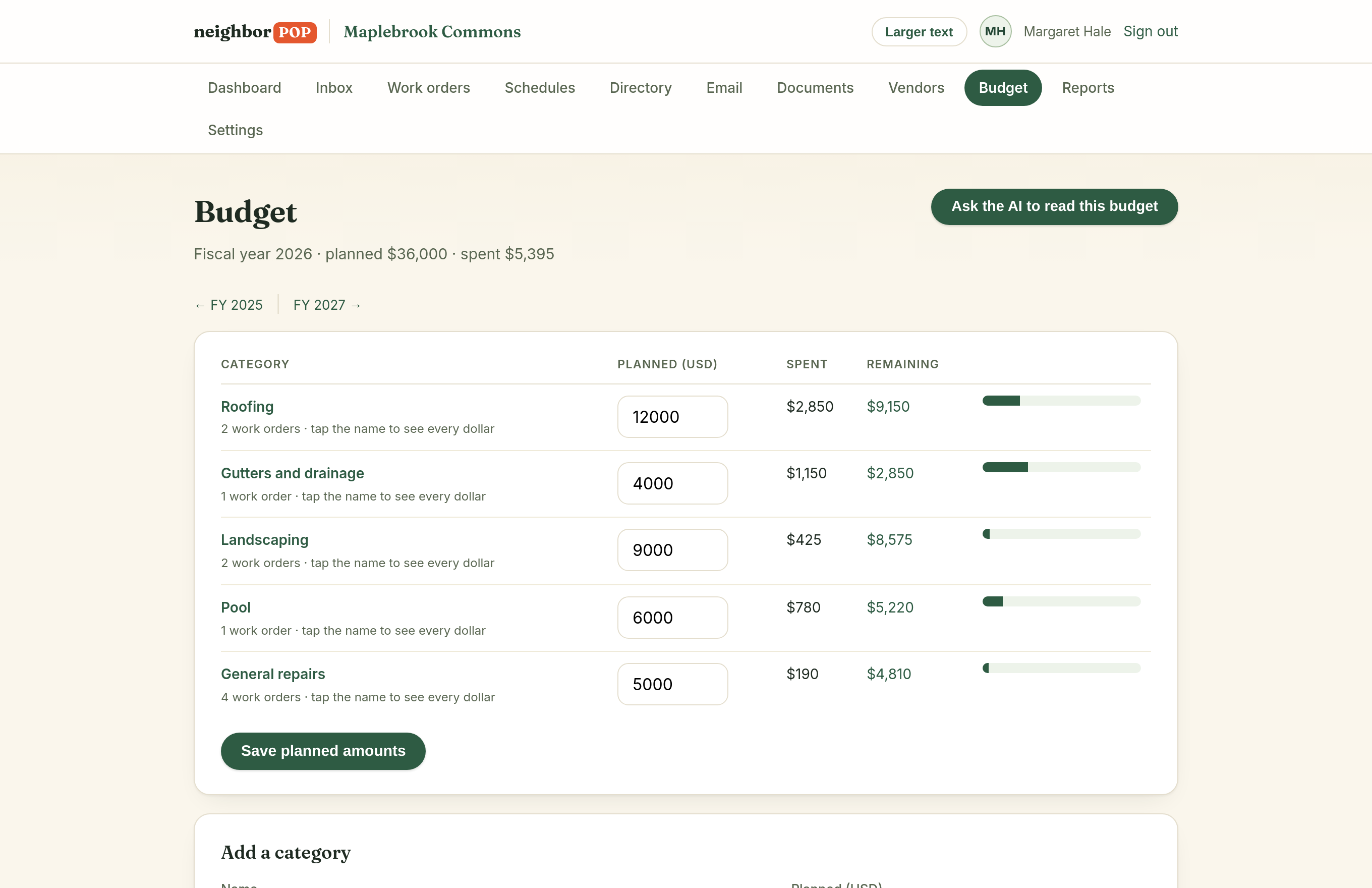
Real screens from a real community portal. This is what your board sees on day one.
Forward it. It gets filed.
Every community gets its own address. Send or forward any neighborhood email to it and the AI reads the message, finds the actual homeowner inside the forwarding chain, drafts the work order, and stages it for your one-click approval.
You stay in charge: nothing files itself unless you turn that on, and nothing ever emails the neighborhood without a human pressing the button.

You never have to talk to a robot
Most platforms bolt a chatbot onto a 2004 interface and call it AI. Ours is wired into the plumbing instead, so nobody faces a blank box or writes a prompt. There is nothing new to learn and nothing to operate. Nobody here is "using AI." They are forwarding an email and tapping Approve.
Everything arrives drafted
Announcements, updates to residents, notes to vendors, and a plain-English read of your budget all show up pre-written from the record in front of you. A person always edits and always presses send.
It files and flags as it goes
A new repair lands under the right budget line on its own, with a note on the record saying so. Urgent work that sits too long, and jobs past their scheduled date, surface on the dashboard without anyone asking.
It is honest and on the record
When there is not enough data to answer, it says so as a technical fact instead of guessing. Every automatic action is logged where the board can see it, and it never sends email or spends a dollar by itself.
The board packet writes itself
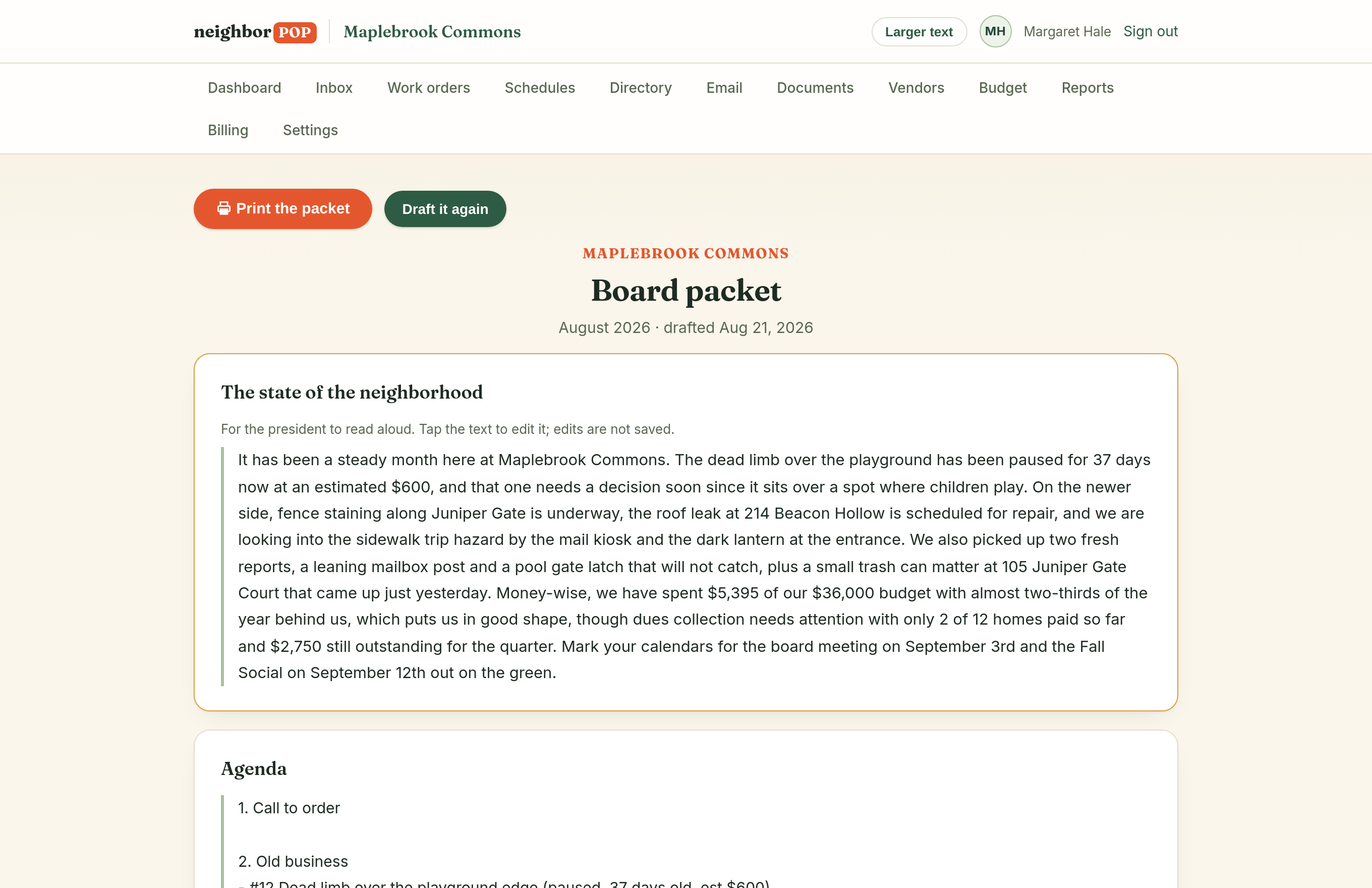
One tap before the meeting drafts the agenda from what is actually open, plus a state-of-the-neighborhood paragraph for the president to read aloud, over tables pulled live from the record. Edit in place, print, meet.
Everything the binder used to hold
One system replaces the work-order tool, the form builder, and the membership site you are paying for separately today.

Work orders
Full lifecycle with photos, costs, vendors, and a per-year budget that fills itself in as you spend.

Board approvals
Configurable dollar threshold and vote count. Approve from email; scanners and accidental clicks can't vote.

Member directory
Homes, owners, tags, roles. Import your existing list in minutes; re-imports never duplicate.

Community email
Announcements to everyone, owners, or the board, with unsubscribes honored automatically and an archive on your news page.

Documents
CC&Rs, bylaws, minutes, budgets, organized and permissioned instead of buried in someone's inbox.

Dues collection
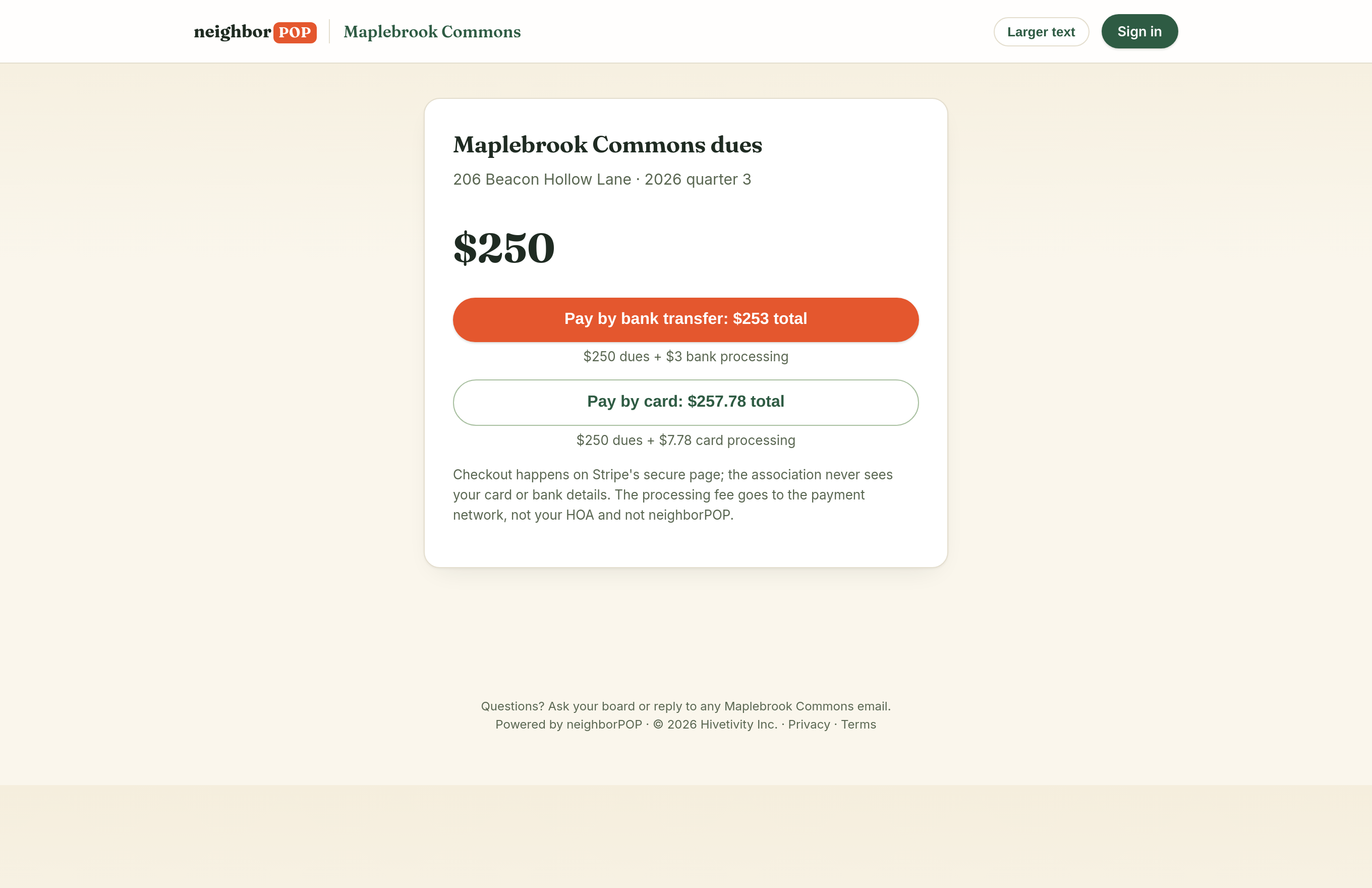
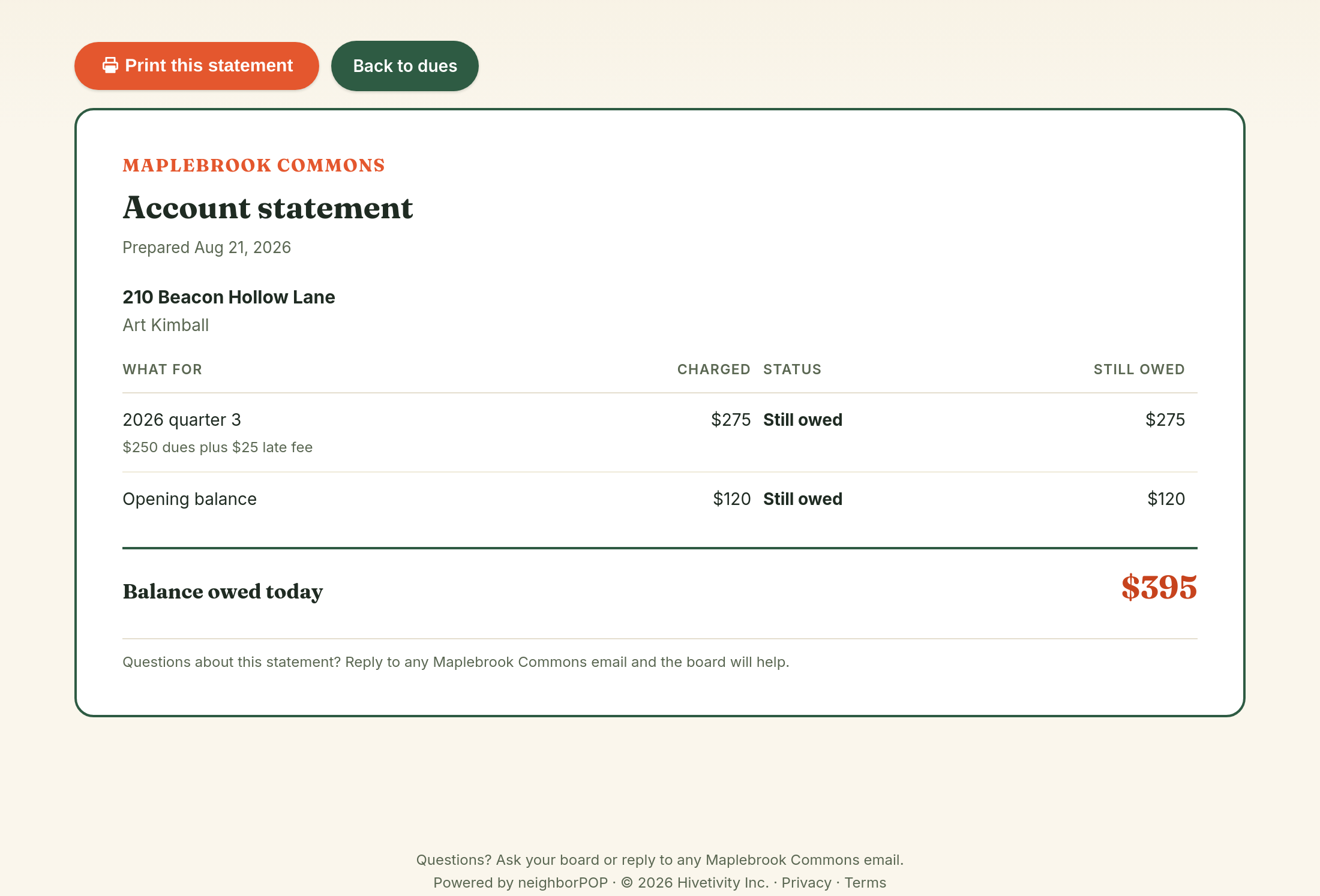
One invoice per home, paid online with no account, settled straight to the association's bank.

Change requests
Residents ask, the board votes from email, the decision goes out in writing. ACC without the archaeology.

Violations
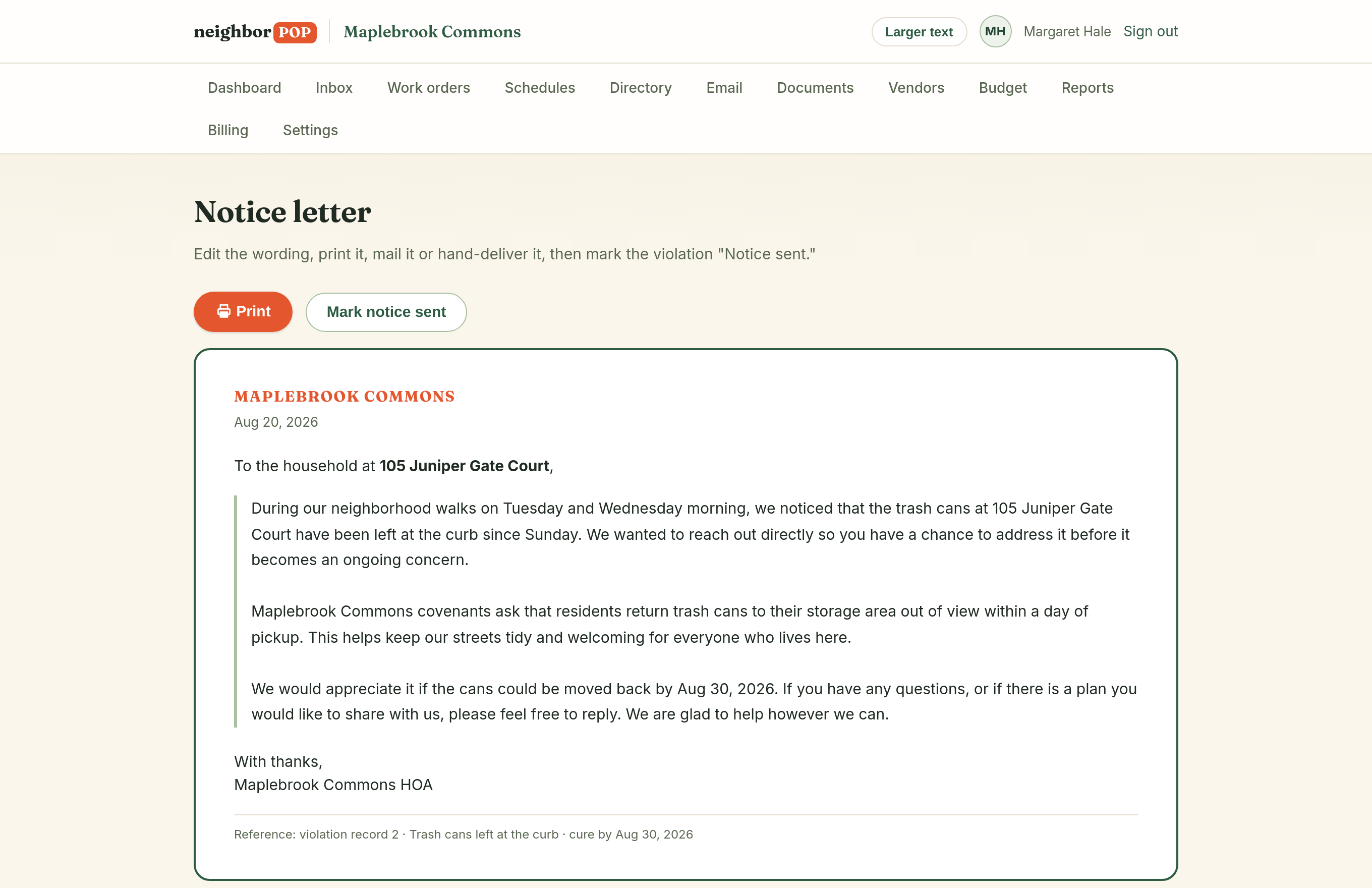
Log it with a photo, print a kindly worded notice the AI drafts, mark it cured. Included in every plan.

Amenities & calendar
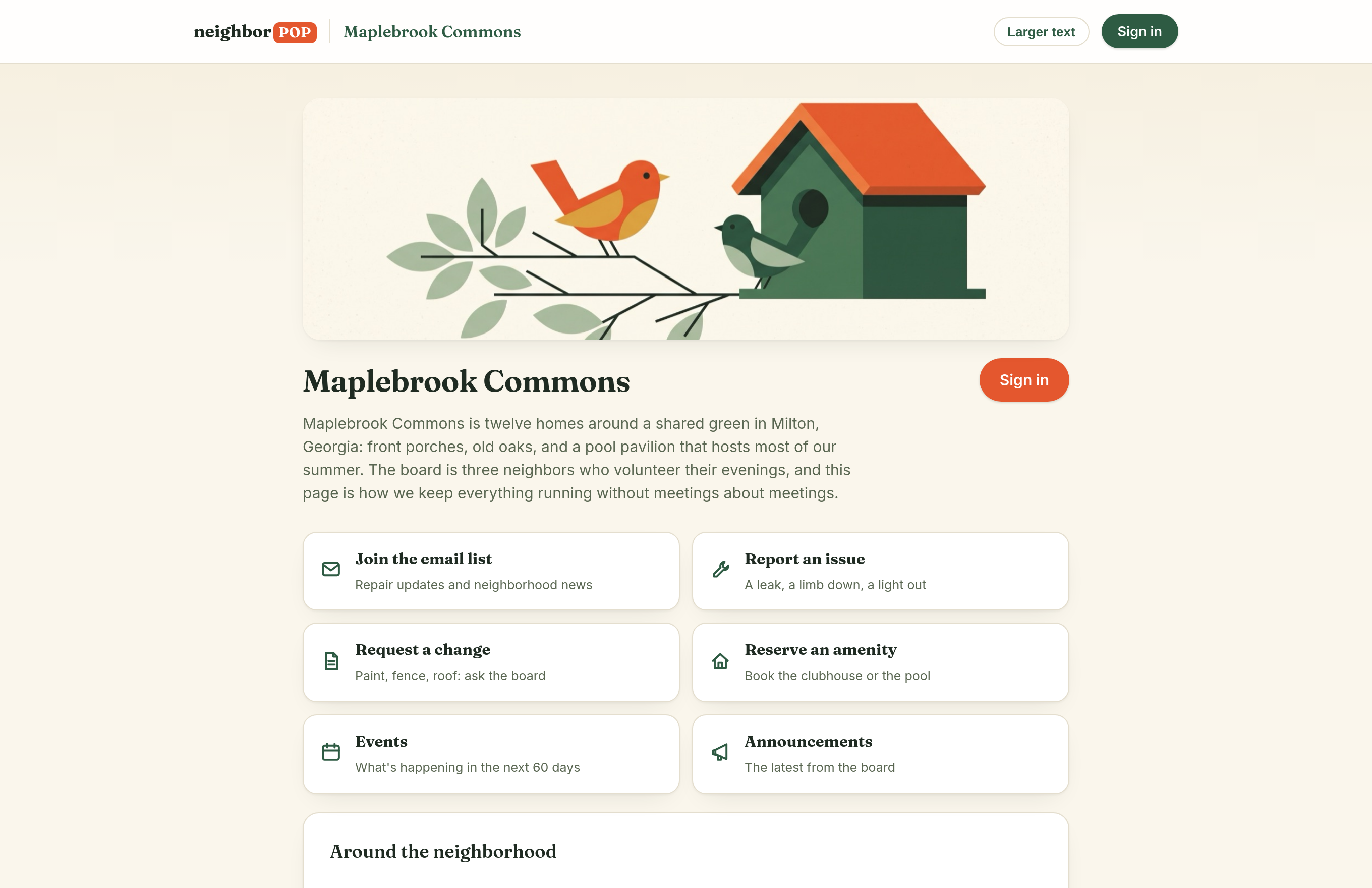
Clubhouse bookings with no double-booking, one community calendar, and a public homepage that keeps itself fresh.

Vendor bills
Invoices read themselves into the drawer, costs land on the job, and your treasurer still pays from your own bank.

Big repairs ahead
Which roofs, fences and paving come due, what they cost at your own prices, and how much to put away each month to stay ahead.
Rentals and owners
Answer one question per home and the dues go to the owner while the neighborhood email reaches whoever lives there.
Kind to the least-technical neighbor
No passwords, ever: sign-in codes by email, tracking links that need no account, and plain words on every screen. Residents who never log in still get every update in their inbox.
Our design bar: a 78-year-old resident, seeing any page cold, knows what to do.
Questions boards actually ask
What does it replace?
Typically three subscriptions: a work-order tool (like MaintainX), a form builder (like JotForm), and a membership/email platform (like Wild Apricot). One community, one system, one bill.
Is our data ours?
Entirely. Your directory, documents, and history export on request, and if you leave, we delete what remains. We never sell or share member data.
What does the AI actually do?
It reads inbound email, classifies it, extracts the details, and drafts records for a human to confirm. On the recommended setting nothing goes out until you press send. If you switch on auto-file it also sends the one person who wrote in a receipt for their own request. It never writes or sends announcements to your neighborhood on its own, and you can undo what it files.
How long does setup take?
An afternoon. A six-step guided setup covers your approval rules, budget categories, member import, and board invites. Your first work order can exist an hour in.
Is neighborPOP a good fit for a small HOA?
That is who it is built for. Self-managed communities under about 200 homes, run by volunteers, where nobody has time to learn property-management software. One flat price whether you have 30 homes or 150.
Do residents need to create accounts?
No. Residents report a problem, pay dues, or reserve the clubhouse from a link, with no password to forget. Board members sign in with a code emailed to them.